Tasks · CLI · Agent · Tutorial · Flow Metrics
Mastering vem Tasks: Create, Prioritize, Implement, and Ship — A Complete Guide
A complete hands-on walkthrough of every vem task feature — rich metadata, lifecycle management, per-task agent context, impact scoring, flow metrics, agent-powered implementation, and PR iteration.
Prerequisites — Install vem and Link a Project
You need the vem CLI installed, an authenticated account, and a repository linked to a vem cloud project. If you completed the Cycles or Memory tutorials you are already set up — jump to the next section.
Install, authenticate, and link
npm install -g @vemdev/cli
vem login <your-api-key>   # key from vem.dev/keys
cd my-project && vem init && vem link
vem status                 # confirm everything is connected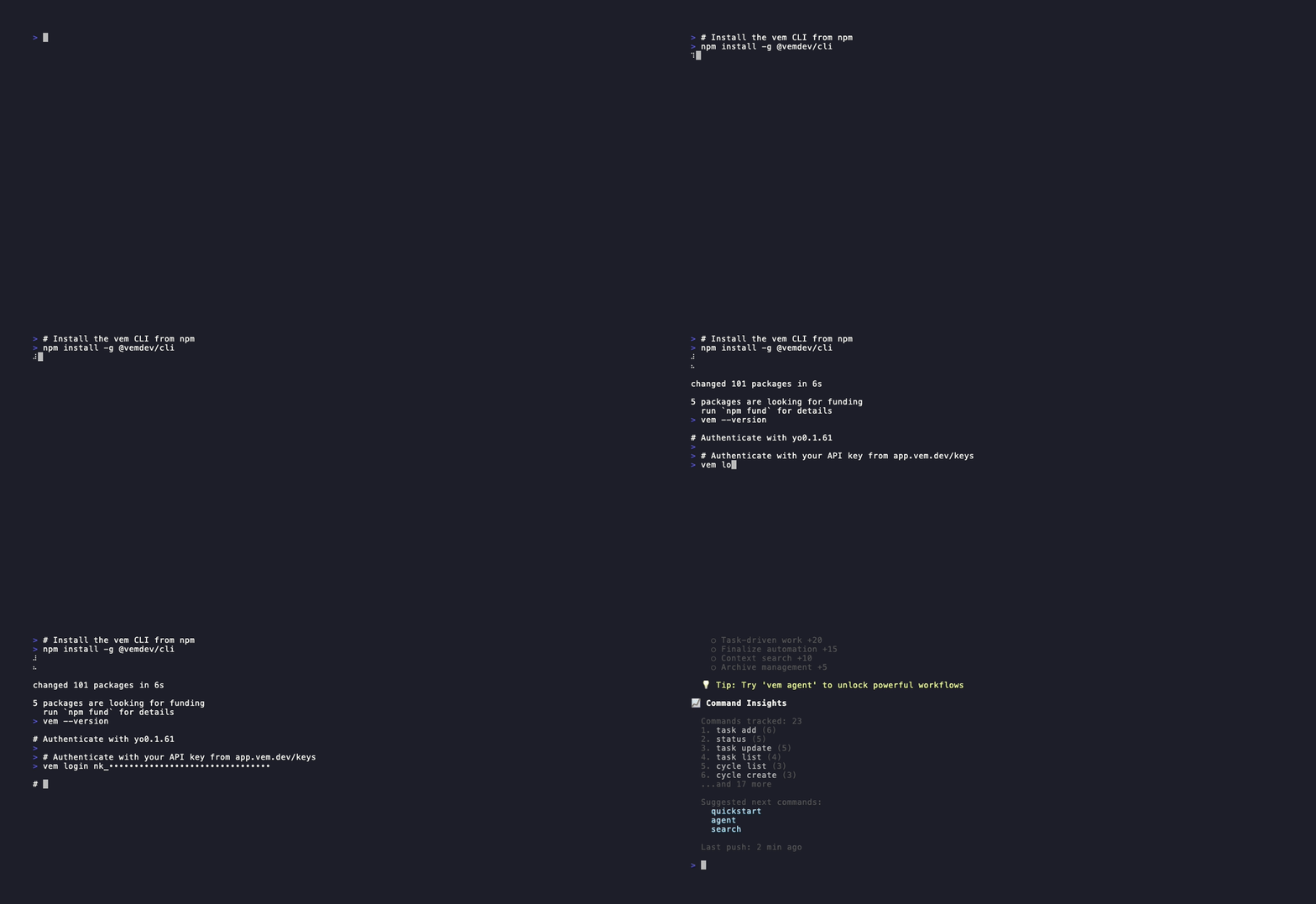
The Task: vem's Atomic Unit of Work
Everything in vem revolves around tasks. A task is more than a to-do item — it carries the metadata your AI agent needs to implement it correctly: priority, type, time estimate, validation steps, dependencies, and a targeted context block written specifically for the agent.
Tasks move through a clear lifecycle: `todo` → `ready` → `in-progress` → `done` (or `blocked` when something is in the way). At any point an agent can pick up a `ready` task, load its full context, and start working — without any setup instructions from you.
- Priority: low / medium / high / critical
- Type: feature / bug / chore / spike / enabler
- Estimate: hours (used in cycle capacity planning)
- Validation steps: shell commands that must pass before the task is considered done
- Dependencies: blocked-by and depends-on relationships between tasks
- Impact score: RICE-based 0-100 score for data-driven prioritization
Create a Task with Rich Metadata
`vem task add` accepts a full set of flags on a single command. You can create a bare-bones task with just a title, or a fully-specified task that gives your AI agent everything it needs before it writes the first line of code.
The `--validation` flag is particularly powerful: it defines the shell commands that must pass before the task can be considered done. When you run `vem cycle validate` at the end of a sprint, vem re-runs these commands and flags any task whose validation steps now fail — catching regressions automatically.
Create a fully-specified task
vem task add "Implement JWT refresh token rotation" \
  --priority high \
  --type feature \
  --description "Replace static tokens with rotating refresh tokens" \
  --estimate-hours 4 \
  --validation "pnpm test:auth, pnpm lint" \
  --depends-on TASK-001

# Quick task (interactive mode when title is omitted)
vem task add
Task Lifecycle — Ready, Start, Block, Done
Tasks start in `todo` status. When a task is refined and ready to be picked up — requirements clear, dependencies met — mark it `ready`. This is the queue that agents and the web runner pull from.
`vem task start` sets the start timestamp used for cycle time measurement. `vem task done` marks it complete and records evidence. Use `vem task block` when a task is stuck, and `vem task unblock` when the blocker is resolved. The lifecycle is designed so every state transition is intentional and auditable.
Task lifecycle commands
# Refine and mark ready to pick up
vem task ready TASK-002

# Start working (records start timestamp for cycle time)
vem task start TASK-002

# Mark done with evidence of completion
vem task done TASK-002 --evidence "Added retry with backoff in src/api/client.ts — tests pass"

# Mark blocked and explain why
vem task block TASK-002 --reason "Waiting for API key rotation spec"

# Unblock when resolved
vem task unblock TASK-002
Subtasks and Dependencies
Large tasks can be broken into subtasks using `--parent`. Subtasks inherit the parent's cycle assignment and appear grouped in `vem task subtasks`. This is useful for features that span multiple implementation areas but share a single acceptance criterion.
Dependencies between tasks are tracked with `--depends-on` (soft dependency — informational) and `--blocked-by` (hard block — the blocking task must complete first). These relationships feed into the cycle board and agent context so agents understand sequencing without you having to explain it.
Create subtasks and dependencies
# Break a task into subtasks
vem task add "Write unit tests for token rotation" --parent TASK-007 --order 1
vem task add "Update API docs for new token flow" --parent TASK-007 --order 2

# View the subtask tree
vem task subtasks --parent TASK-007

# Mark a dependency
vem task update TASK-008 --depends-on TASK-007
vem task update TASK-009 --blocked-by TASK-007
Per-Task Agent Context
Every task has a dedicated context block — a free-text note written by you (or a previous agent) that the AI agent reads before starting work. This is different from the project-level CONTEXT.md: it is task-specific, pointing the agent at the exact file, function, or edge case that matters for this particular task.
`vem task context <id> --set` replaces the context. `--append` adds to it. `--clear` removes it. When the MCP server sends a task to an agent, the task context is included in the payload alongside the task metadata — so your agent knows exactly where to look without any back-and-forth.
Write task context for an agent
# Set targeted context for the AI agent
vem task context TASK-001 --set "Offline mode throws an unhandled rejection when
the API is unreachable. Fix in src/sync/push.ts — catch the network error and
write to .vem/queue/ instead. Test with: npm test -- --grep offline"

# Append additional context
vem task context TASK-001 --append "Related: the queue flush logic is in src/sync/flush.ts"

# View what the agent will see
vem task context TASK-001
Impact Scoring — Prioritize with Data
`vem task score` shows all tasks ranked by their impact score (0-100). Scores use a RICE-inspired model: tasks with no score show `—` and appear at the bottom. When you run `vem task score <id> --set <score>`, you can attach reasoning that is stored with the score and shown to agents during prioritization.
Impact scores feed directly into cycle planning — when you create a new cycle, vem can suggest which backlog tasks have the highest combined impact for the planned scope. Teams that maintain scores consistently find that AI agents pick the right task to work on without being told explicitly.
Set and view impact scores
# View all tasks ranked by score
vem task score

# Score a specific task with reasoning
vem task score TASK-001 --set 92 \
  --reasoning "Critical path: all auth features blocked until offline mode is fixed"

# Score multiple tasks
vem task score TASK-005 --set 45 --reasoning "Nice to have — no active blockers"
Validation Steps — Built-In Quality Gates
The `--validation` flag on `vem task add` (or `vem task update`) stores a comma-separated list of shell commands that define what "done" means for that task. At the end of each sprint, `vem cycle validate` re-runs all validation steps for completed tasks and flags any that now fail.
This is how vem detects regressions: a feature implemented in sprint 1 may break when sprint 3 refactors the same module. Cycle validation catches it before it ships. The validation steps are also shown to agents during implementation so they know exactly how to verify their work.
Add validation steps to a task
# Set validation steps at creation
vem task add "Add rate limiting to API endpoints" \
  --validation "pnpm test:api, pnpm test:integration, pnpm build"

# Update validation steps on an existing task
vem task update TASK-004 --validation "pnpm test, pnpm lint, pnpm type-check"

# Run cycle validation at sprint end
vem cycle validate
Flow Metrics — Measure What Matters
`vem task flow` shows the flow metrics for a specific task or a project-wide summary. For a single task: lead time (created → done), cycle time (started → done), and time spent in each status. For the project: throughput, average cycle time, and current work-in-progress count.
These metrics do not require any extra setup — they are calculated automatically from the timestamps recorded by `vem task start` and `vem task done`. Over multiple sprints the data becomes a reliable baseline for estimating how long similar work takes and where tasks tend to get stuck.
View task and project flow metrics
# Flow metrics for a specific task
vem task flow TASK-003

# Project-wide summary (throughput, avg cycle time, WIP)
vem task flow
Agent-Powered Implementation
`vem agent --task TASK-X` launches your configured AI agent (Copilot, Claude, Gemini, Codex) with the task's full context pre-loaded: task description, per-task context, project CONTEXT.md, active cycle, and related decisions. The agent works in your local repository and can create branches, write code, run tests, and open PRs.
The `--task` flag scopes the agent to a single task. Without it the agent gets the full project context and can decide what to work on. vem wraps the agent session to record which task was worked on, what commands were run, and what was completed — building the audit trail in `vem task sessions`.
Privacy: your AI provider keys (OpenAI, Anthropic, etc.) are stored in your local environment variables and never sent to the vem cloud. vem only orchestrates which task to run — the agent execution happens entirely on your machine.
Run an agent on a specific task
# Run Copilot on a specific task
vem agent --task TASK-001

# Use a different agent (positional argument)
vem agent claude --task TASK-001

# Run without strict memory enforcement (not recommended)
vem agent --task TASK-001 --no-strict-memory
PR Iteration — Continue from an Existing Branch
When an agent opens a PR but the implementation needs refinement, `vem task iterate` picks up where it left off. It finds the latest run with an open PR for the task, checks out that branch, and launches the agent again with follow-up instructions — so the agent continues from the existing code instead of starting from scratch.
This is the difference between re-running an agent (which may diverge or duplicate work) and iterating on a PR (which builds on what already exists). Combined with the task context you can guide the refinement precisely.
Iterate on an existing PR
# Continue from the latest PR for a task
vem task iterate TASK-001 --prompt "The backoff is correct but the error message
needs to include the retry count. Also add a --max-retries flag."

# Iterate with a specific agent
vem task iterate TASK-001 --agent claude --prompt "Add the missing unit test for the edge case where retries > 3"
The Web Board — Visual Task Management
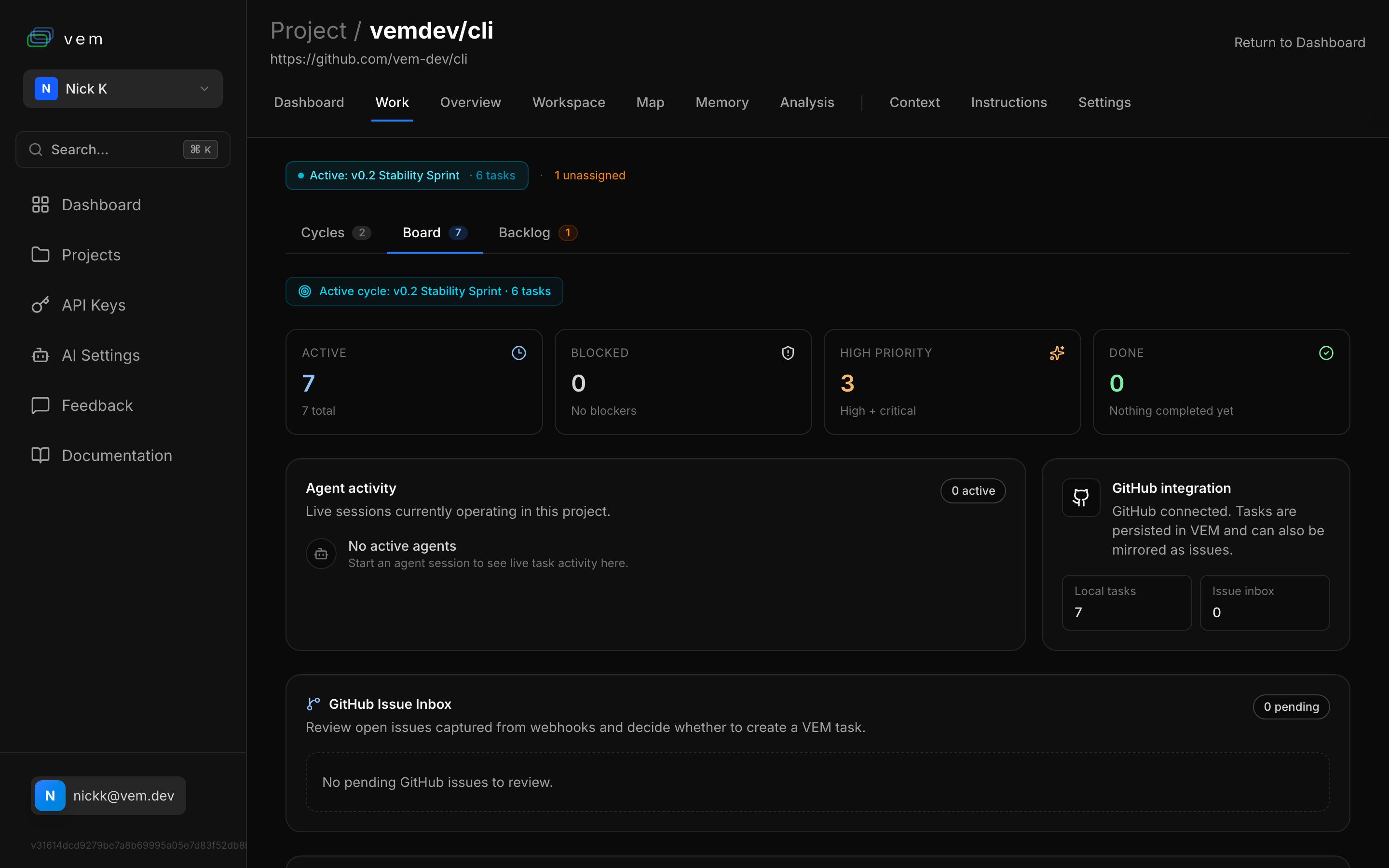
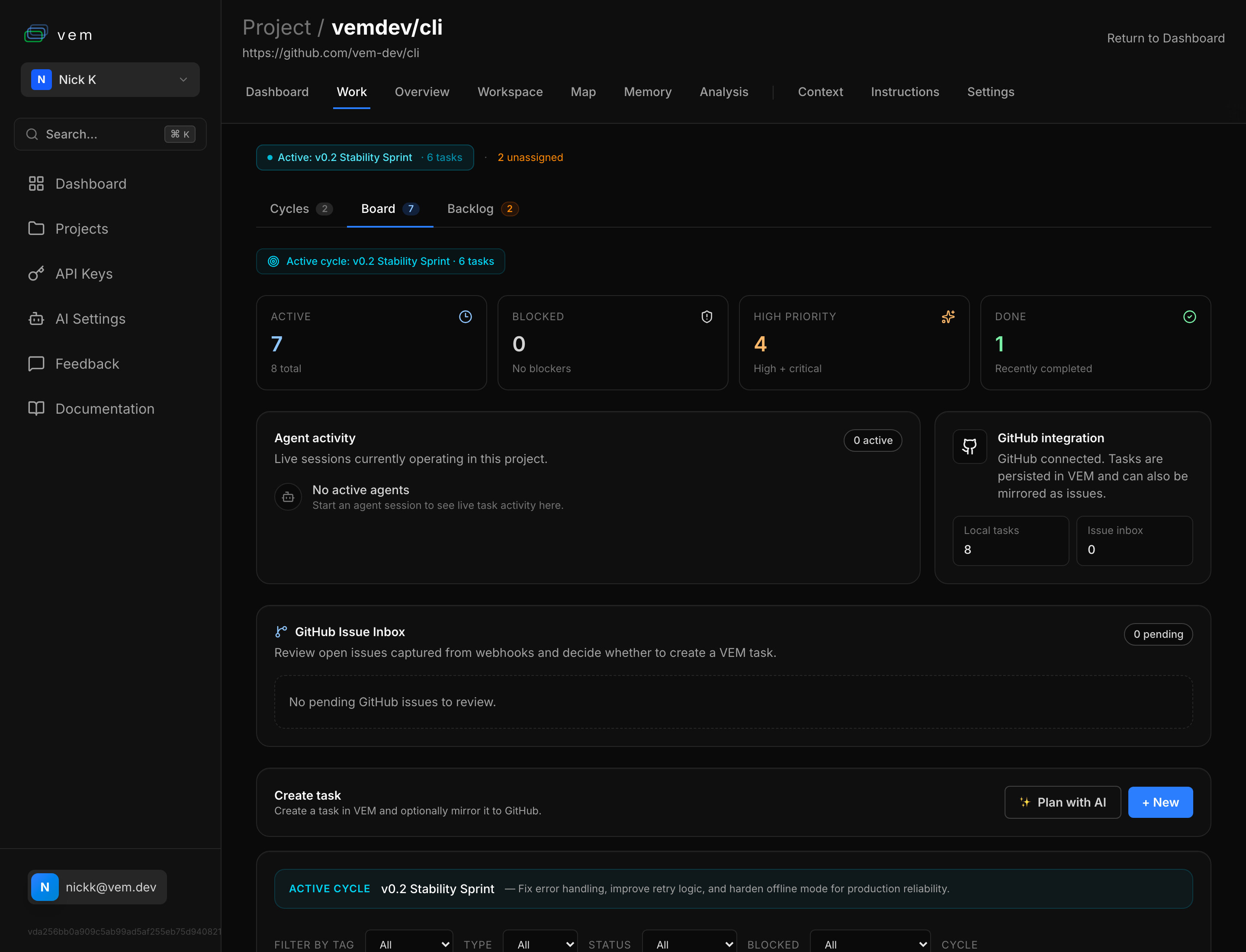
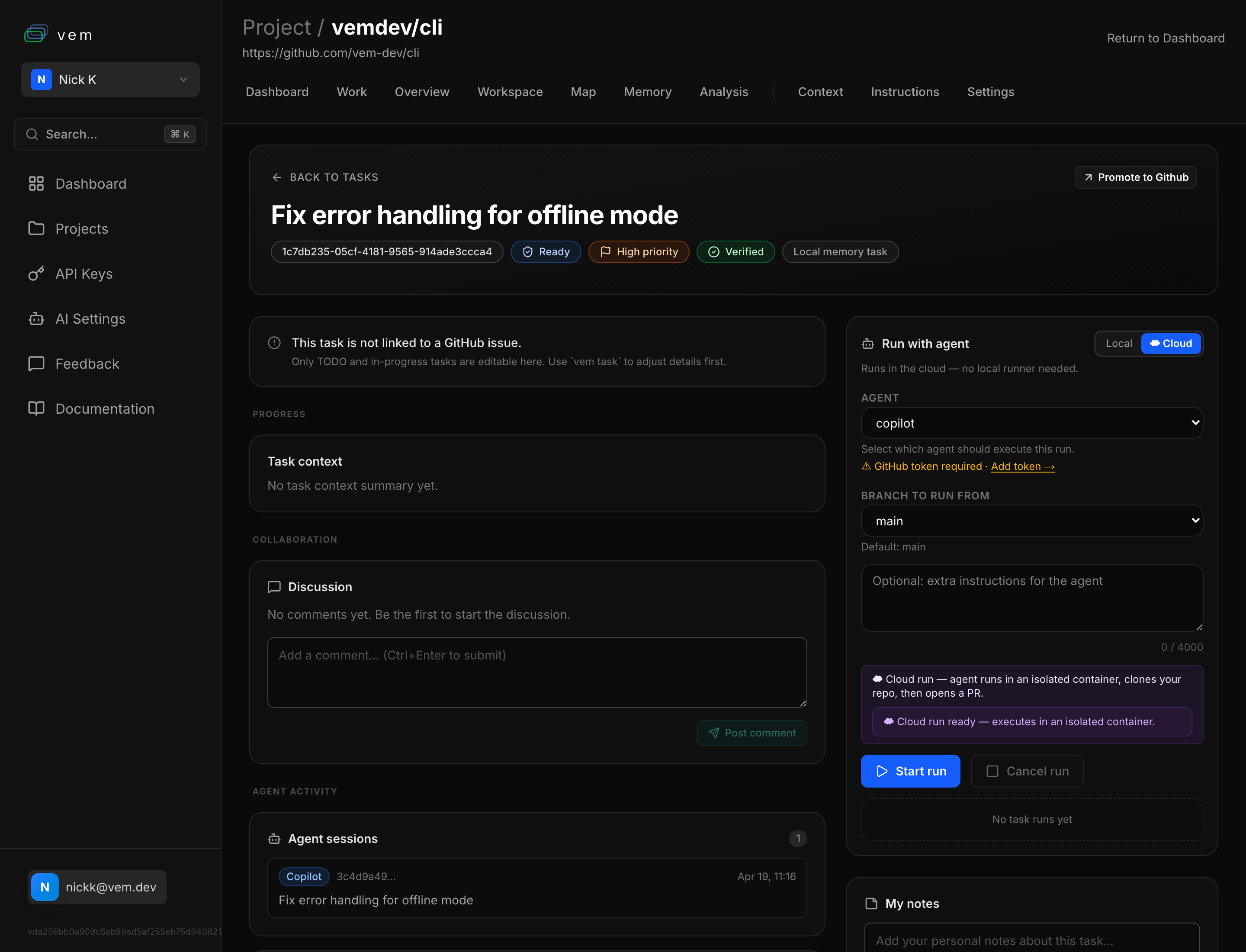
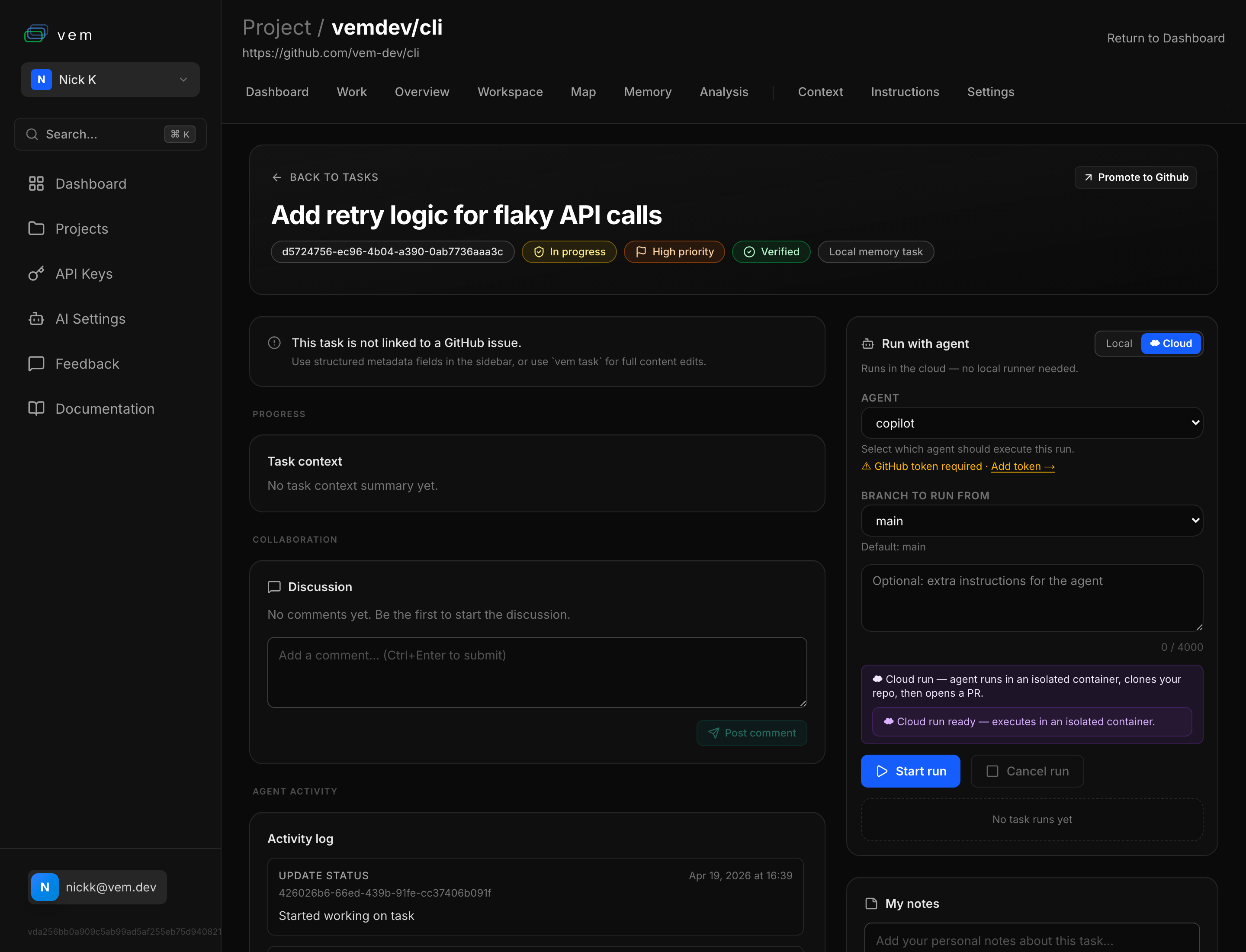
The vem web app at app.vem.dev provides a visual view of every task in your project. The Board tab on the Work page shows all tasks with a real-time summary: total count, blocked count, high-priority count, and completed count for the active cycle. It also surfaces agent activity, GitHub integration status, and the GitHub Issue Inbox — making it the single command centre for your project.
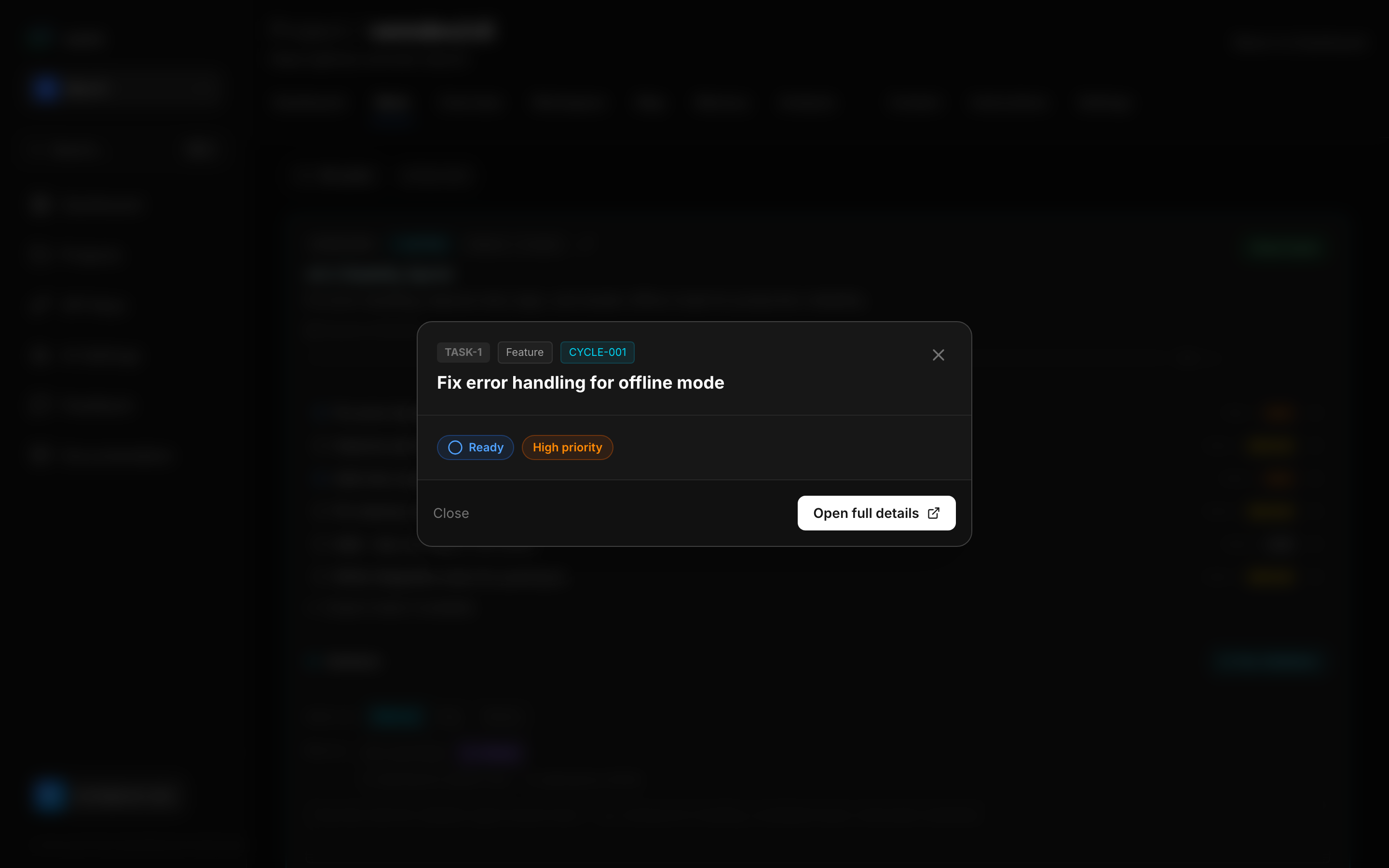
Clicking a task opens the full task detail page with everything in one place: the task UUID, status and priority badges, a verification badge when the snapshot is synced with Git, the task context summary for agents, a Discussion thread for team collaboration, and the **Run with agent** panel on the right. The agent panel lets you choose between running locally or in the cloud, select the agent (Copilot, Claude, etc.), pick the branch, and add extra instructions — then hit Start run to dispatch the agent. The Agent sessions section below shows every previous agent run against that task, giving you a complete audit trail.
Audit Trail — Task Sessions
`vem task sessions <id>` lists all agent sessions that touched a task: which agent ran, when it started and ended, what commands were executed, and whether the task was completed during that session. This gives you a full audit trail for every unit of work.
The audit trail is valuable for understanding agent behaviour over time — which tasks took multiple iterations, which agents were most efficient, and where agents got stuck. It also provides accountability for team environments where multiple people (and agents) are working in parallel.
View agent sessions for a task
# List all sessions that worked on a task
vem task sessions TASK-001
Putting It All Together
A well-maintained task is more than a to-do item — it is a self-contained work package that any agent can pick up and execute correctly without additional instructions. The lifecycle from creation to shipped PR looks like this:
The full task lifecycle — from backlog to shipped
# 1. Create with rich metadata
vem task add "Implement rate limiting" --priority high --type feature \
  --estimate-hours 3 --validation "pnpm test:api, pnpm lint" \
  --depends-on TASK-001

# 2. Write targeted agent context
vem task context TASK-008 --set "Add rate limiting in src/api/middleware.ts.
Use sliding window algorithm. Limits: 100 req/min per API key, 10 req/min
for unauthenticated. Test: npm test -- --grep rate"

# 3. Score by impact
vem task score TASK-008 --set 78 --reasoning "Needed before public beta"

# 4. Mark ready and start
vem task ready TASK-008 && vem task start TASK-008

# 5. Run agent implementation
vem agent claude --task TASK-008

# 6. Check flow metrics
vem task flow TASK-008

# 7. Sync to cloud
vem push